Documentation drives reimbursement
CovetCare was a revolutionary “point and click” electronic medical record (EMR) for nursing homes, built by a team of clinicians & technologists in New York. The company grew out of a health care consulting firm that had served more than 250 facilities in the Northeast.
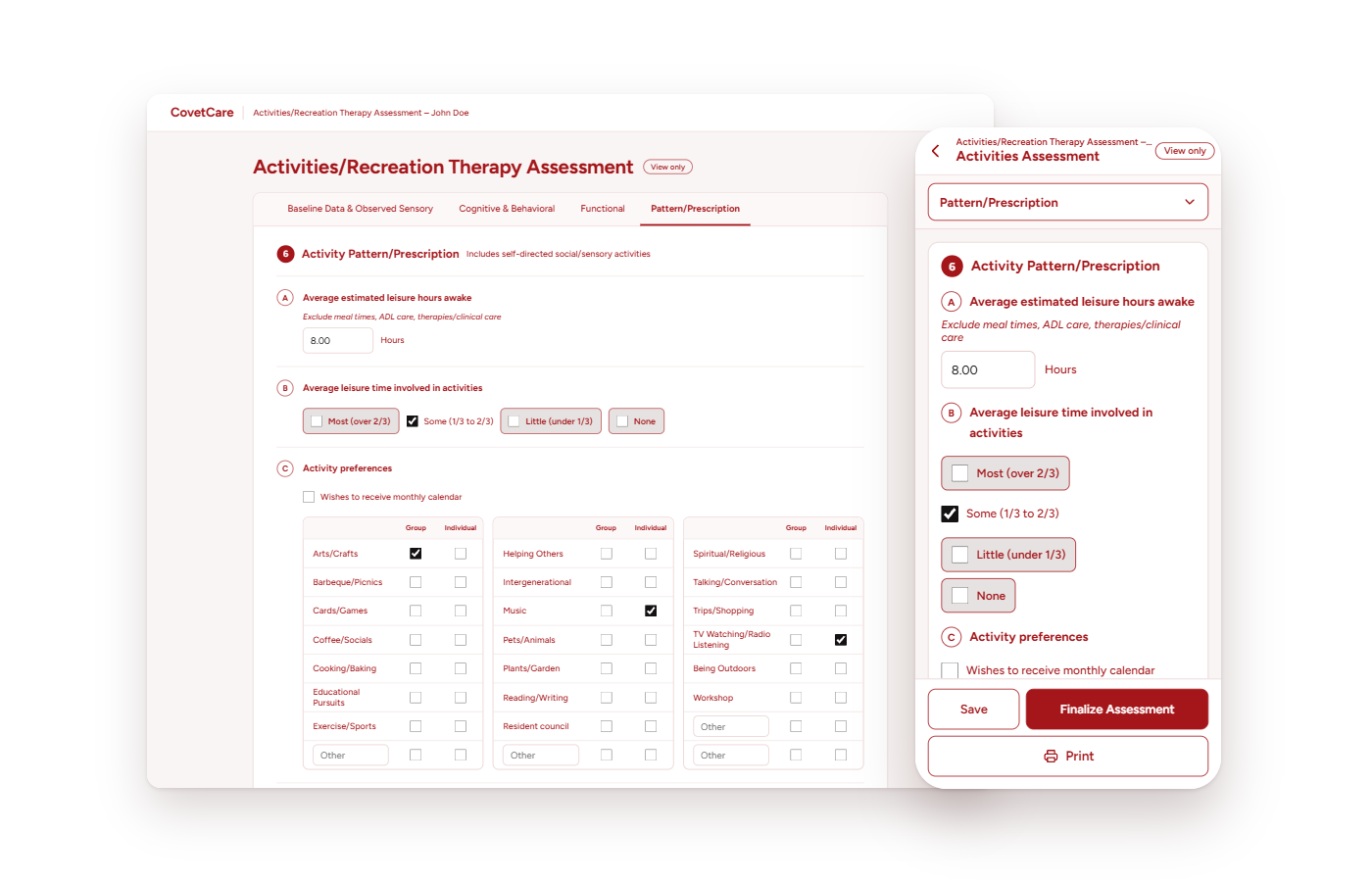
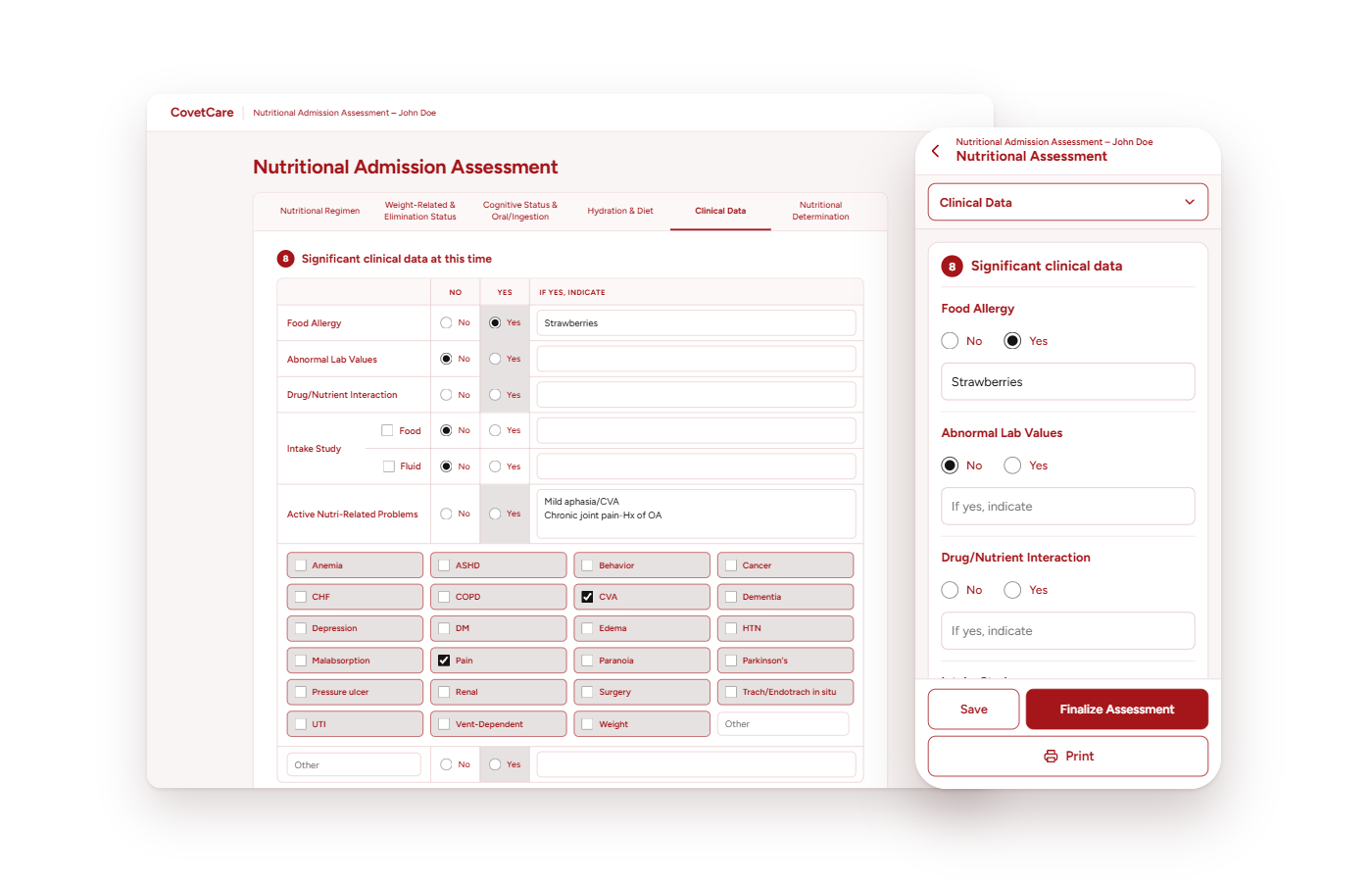
It handled the heavy documentation load of long-term care: resident assessments across nursing, nutrition, activities & social services, nurse aide assignments, accident & incident reports, risk tools & more. Using data from those forms, it proposed discipline-specific care plans for every triggered problem, concern or need & brought them together for the federally mandated comprehensive care plan (CCP). No software had done that before.
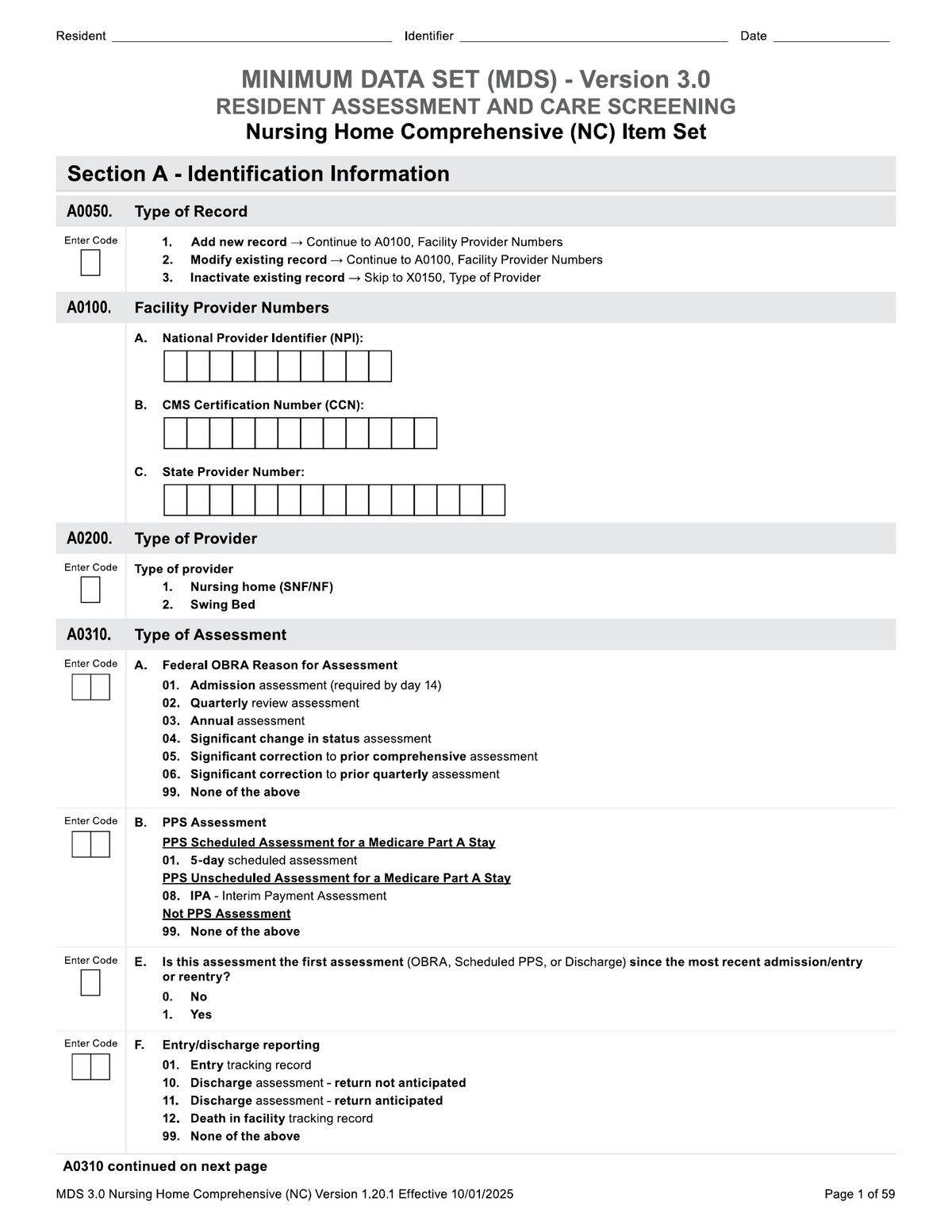
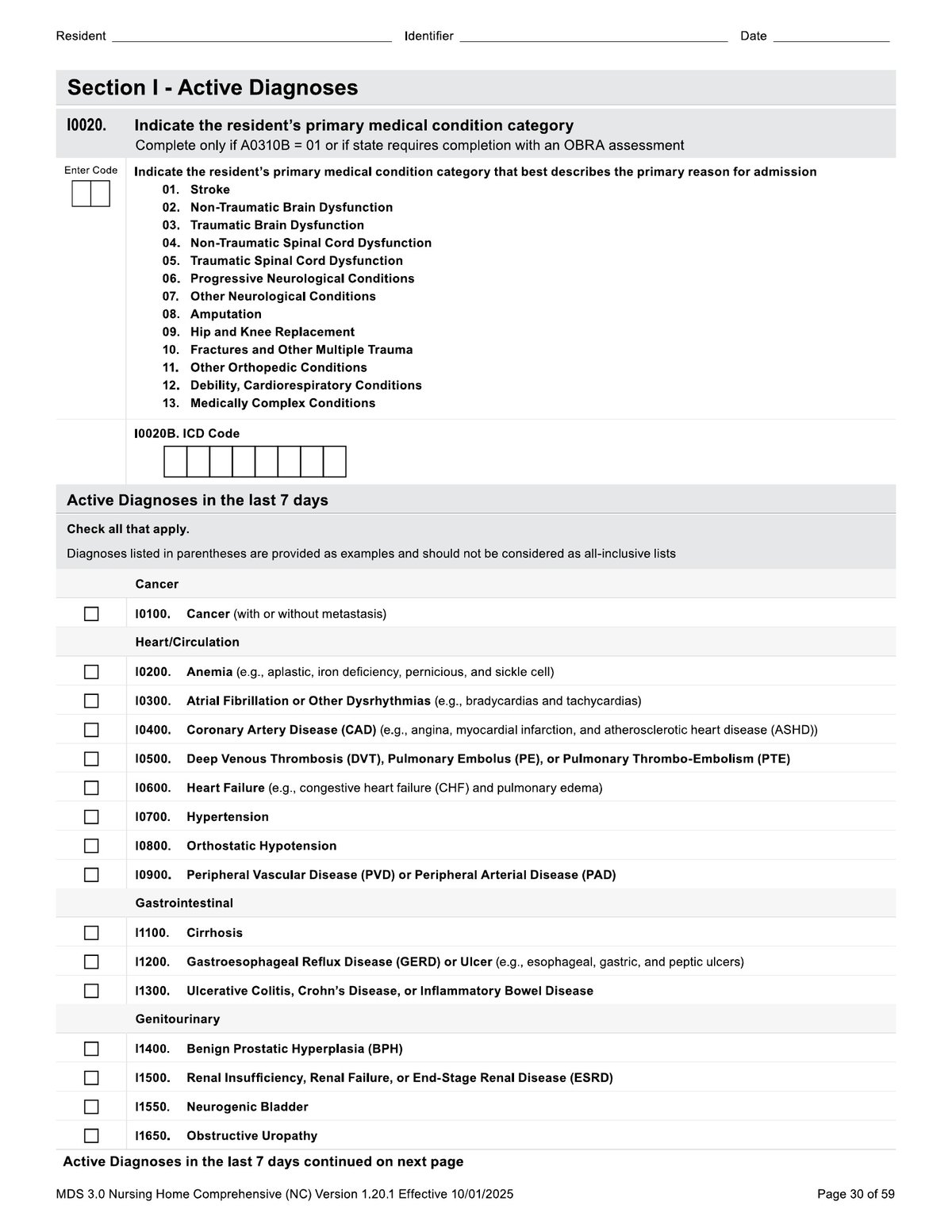
As if that wasn’t enough, CovetCare dared something even more groundbreaking in the industry at the time. It used the same clinical data to fill out the federal Minimum Data Set (MDS) that drives Medicare & Medicaid reimbursement. It knew every permutation of the MDS & how to fill every field based on rationale, lookback period & other factors. Several assessments could fall in the same lookback period, so it had to know which data was valid for each MDS & pull the highest level of need from the assessments, care plans & risk tools in that window. That saved clinicians hundreds of hours of work every week & eliminated discrepancies between resident charts & what was reported to the federal government. Because it captured each resident’s highest levels of need, it also increased reimbursement for facilities. It became the backbone of reimbursement for every facility that used it.
Accuracy mattered. Surveyors audit the MDS & a mismatch between a resident’s chart & the form can mean payments denied or taken back. CovetCare cross-checked each discipline’s assessment & flagged discrepancies so clinicians could fix them first.
Designing the application
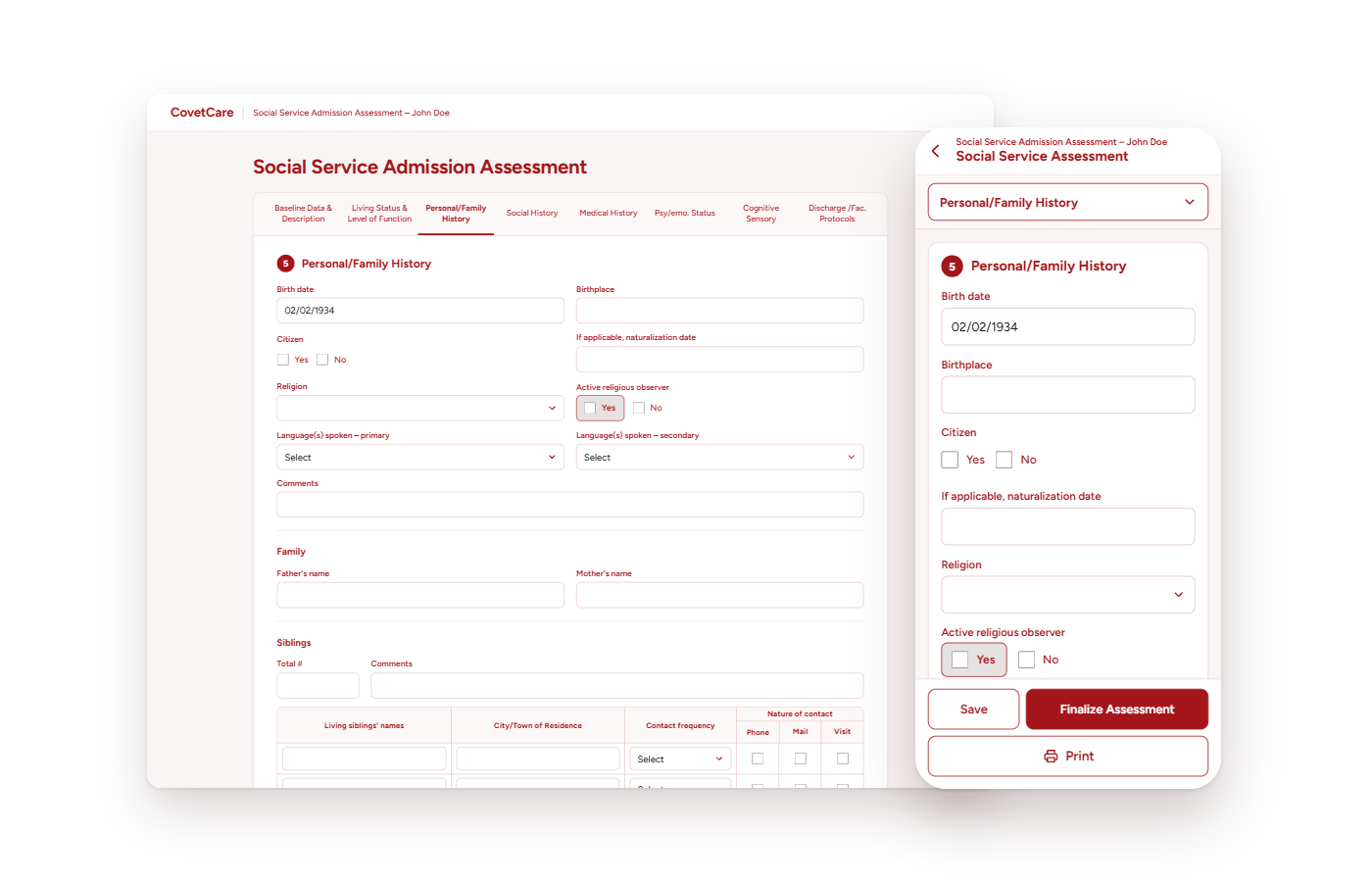
CovetCare’s promise was “point and click,” built with the computer novice in mind. At the time, many clinicians were computer-phobic, so every screen had to feel approachable while still capturing everything the federal government required. Winning staff over was a big part of my job early on. I trained them directly, learned their workflows & showed them that I respected the way they worked & was designing around it.
For me, application design was a lot more than creating the user interface. It meant researching clinical standards, understanding state & federal regulations & learning how clinicians operated, including custom workflows that they had implemented to overcome hurdles. I also had to know where & how each feature & its data connected to the rest of our system, to the applications we interfaced with & ultimately to state & federal systems.
From 2010 on, I designed new tools & whole new systems for the application, like a facility-wide dashboard that I proposed & fought for. I also kept the existing tools in line with the significant changes that CMS (Centers for Medicare & Medicaid Services) released twice a year: the resident face sheet, discipline-specific assessments, proposed care plans, nurse aide assignment sheets, reports, incident forms & more.
I built the interfaces in FrontPage, then Expression Web, then Visual Studio & handed the HTML & CSS, sometimes with a little JavaScript, to our developers to wire up. That changed in 2019, when I started writing the code myself.
From desktop to any device
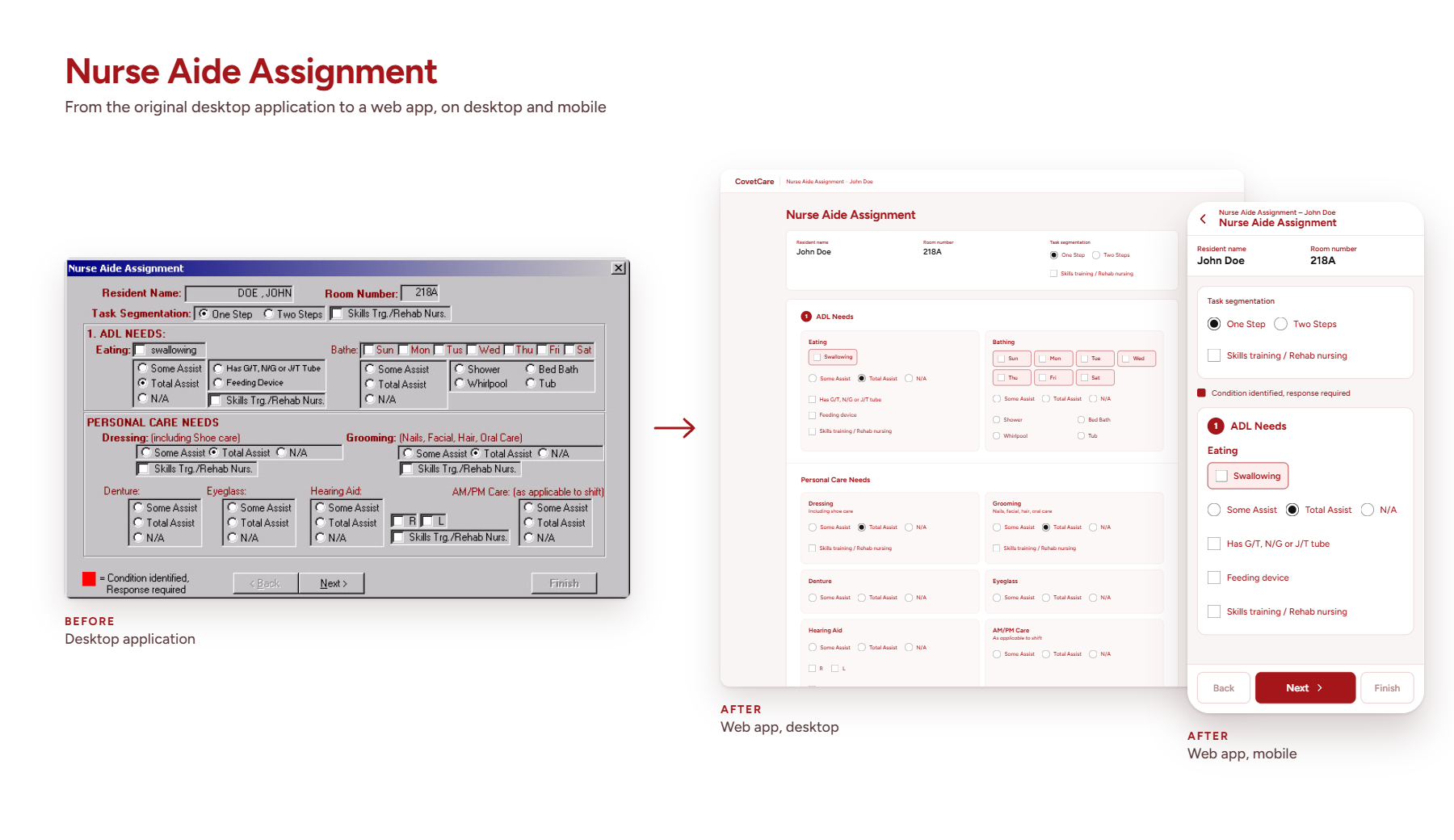
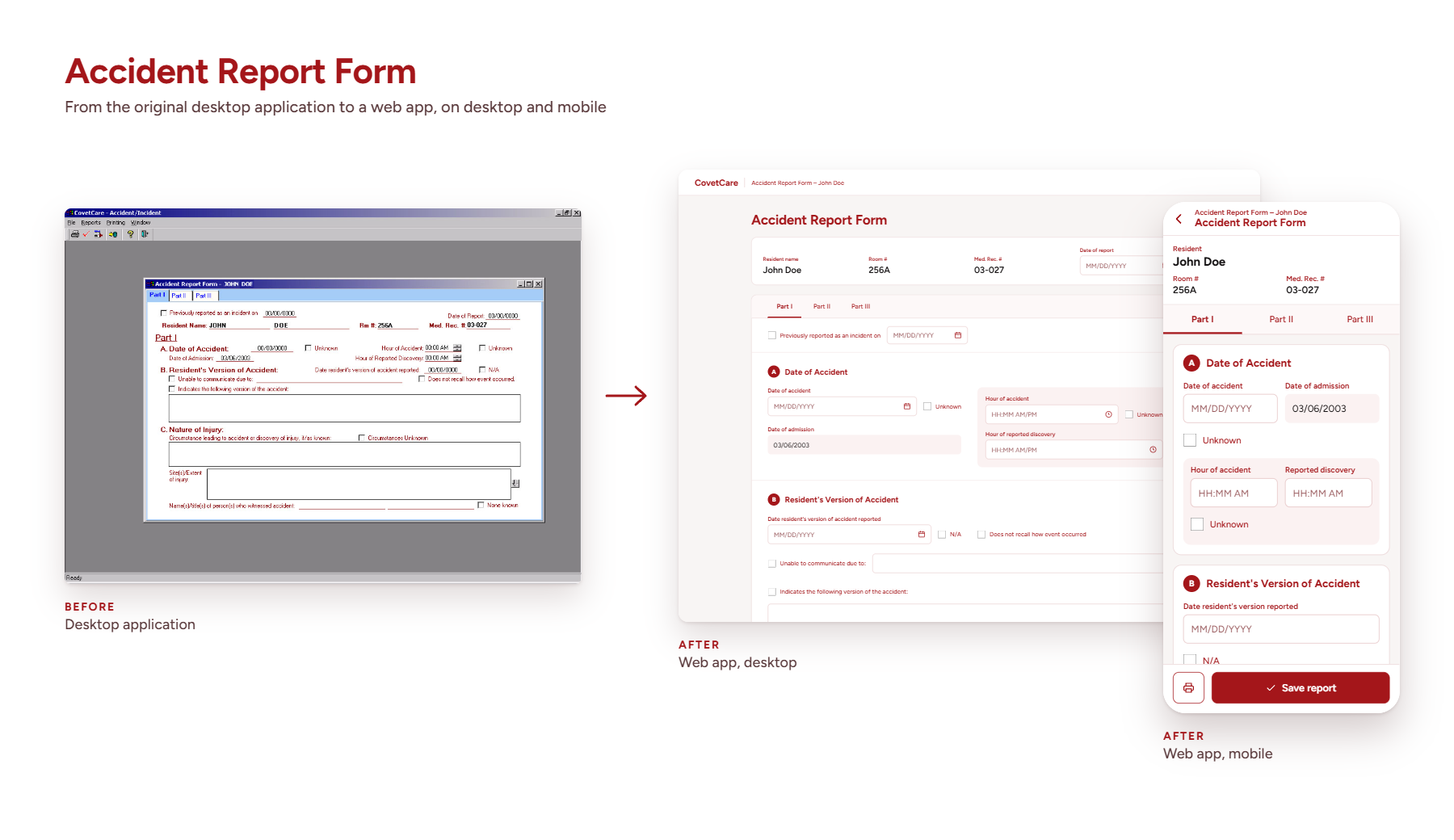
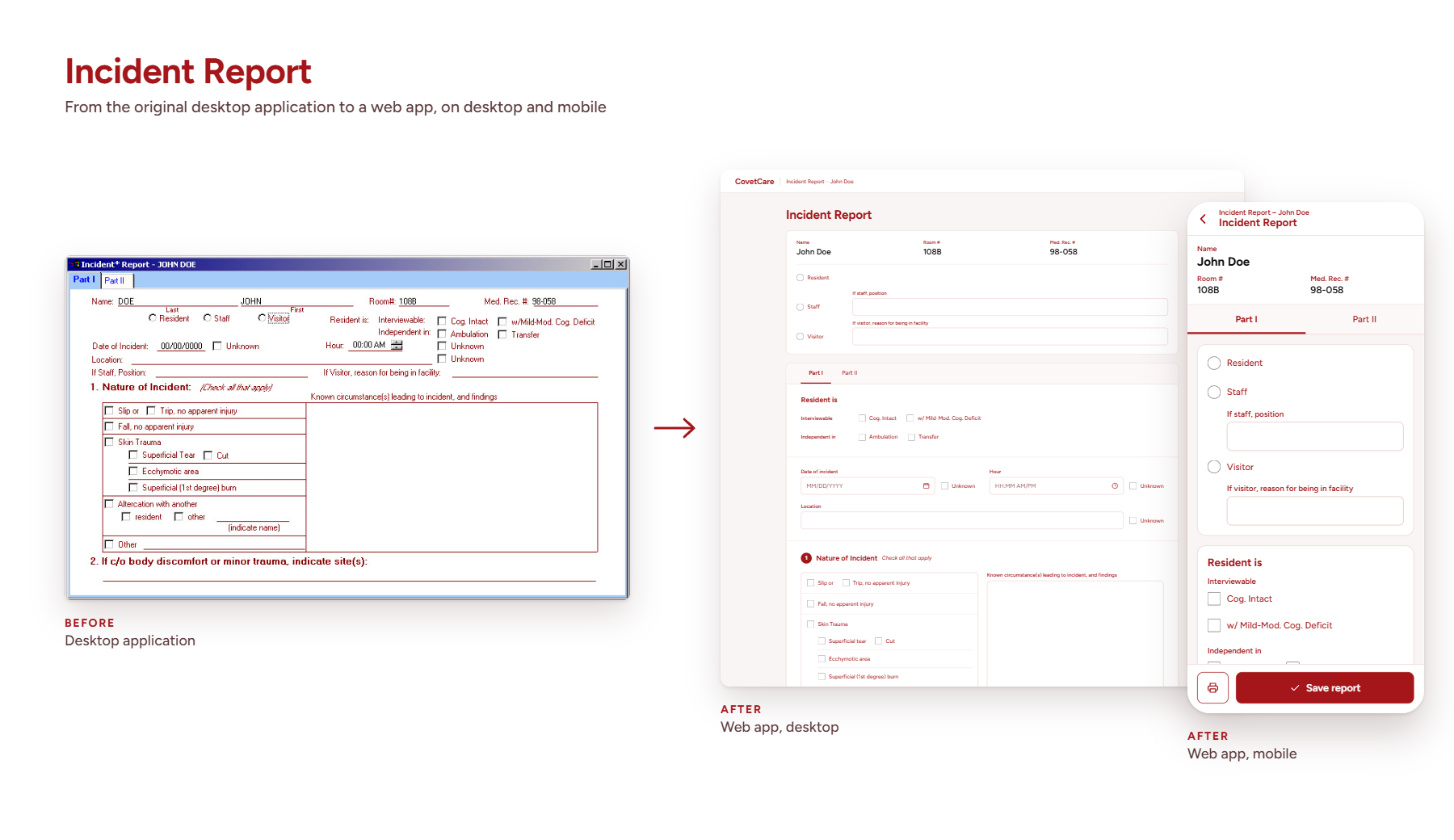
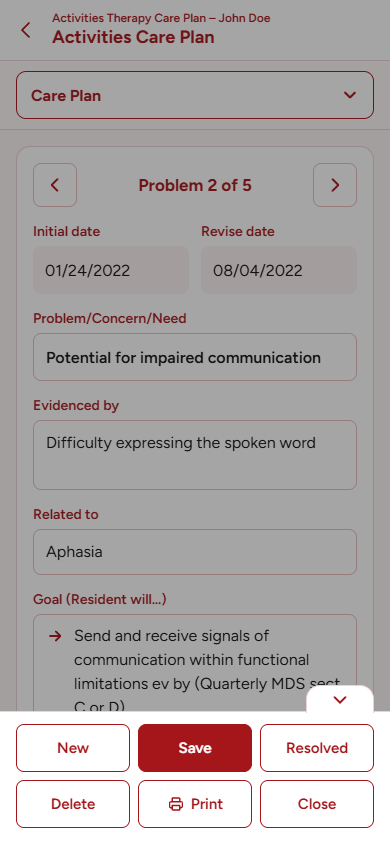
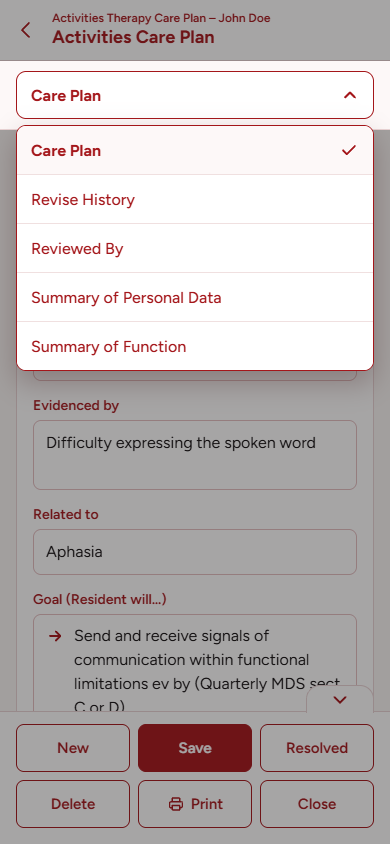
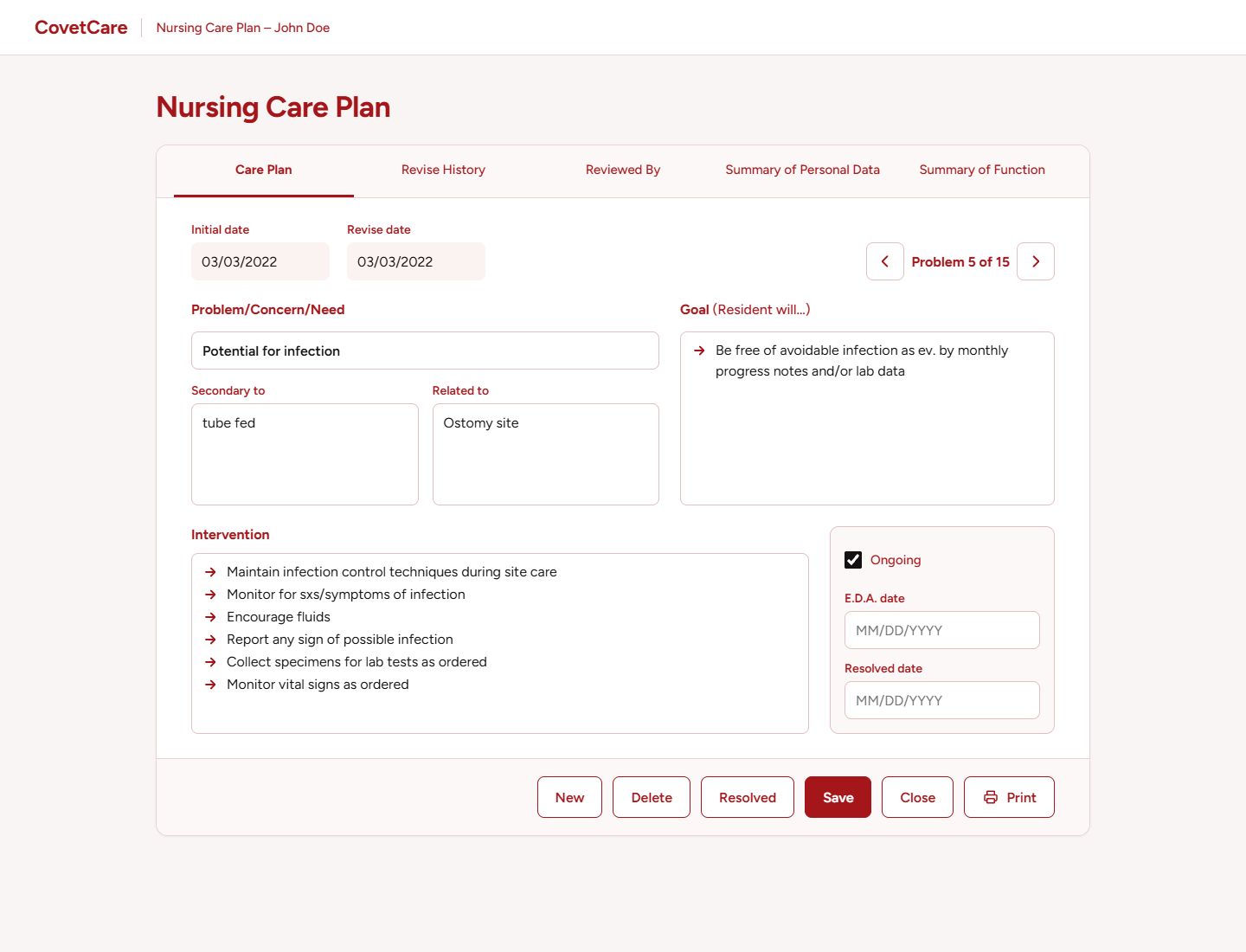
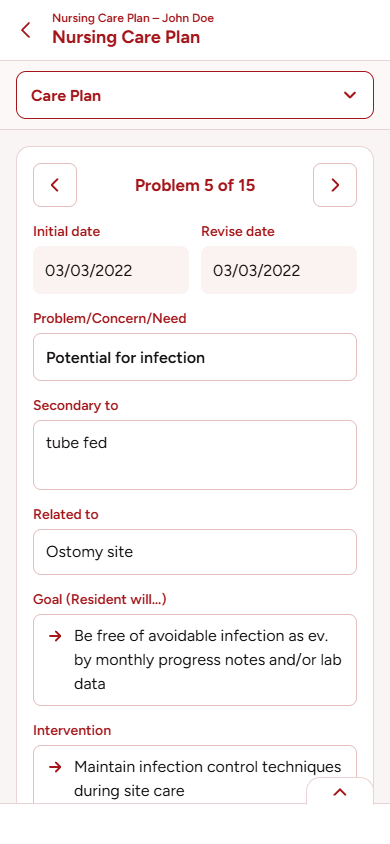
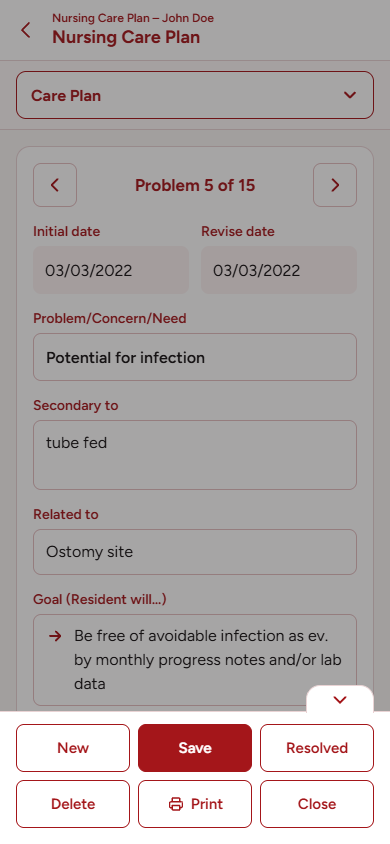
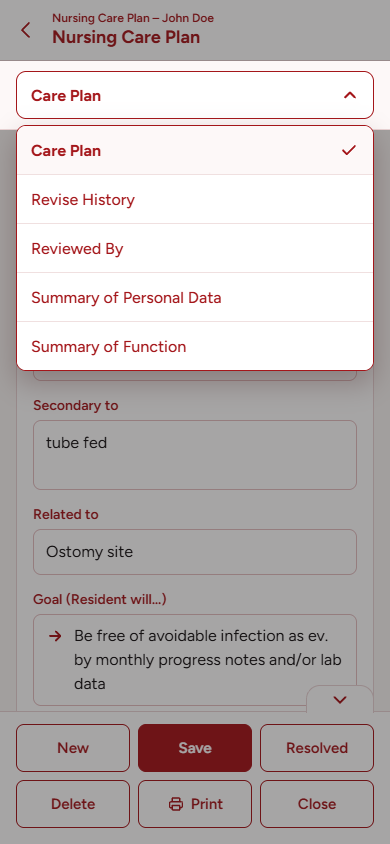
The EMR started life as desktop software. When it moved to a responsive interface, staff could use it on tablets & phones for the first time & mobile grew to half of all usage.
I designed the responsive layouts & built them myself in 2019 & 2020, right after bootcamp, where I learned HTML, CSS & JavaScript. The before & after shots below show a few of the forms I moved over.
Systems I designed
Many of the things I designed weren’t single tools or enhancements to existing ones, but complete systems that leveled up the entire application. Here are a few:
The Amendment feature
Clinicians had to re-enter an entire assessment every time a new one was due, even when only a few things had changed. Some tools had hundreds of fields. It was hardest when a resident went to the hospital & came back, sometimes several times in a short stretch. Every department had to complete new assessments & care plans for every readmission. It ate up hours, burned staff out & led to data entry errors.
I proposed an Amendment feature, designed it & had to fight hard for it. It went against our founder’s view of how assessments should be completed, so I leaned on our clinical advisory panel for backup.
After months of development, Amendments came to our clinical assessments & risk tools. Clinicians could copy an assessment from the last 90 days. Information that wouldn’t change, like chronic conditions, demographics & historical notes, carried over. Anything that could change, like vitals, cognition & wound status, had to be entered fresh. A credentialed counter-signature was required to finalize each form. Clients loved it & it became the single biggest time-saver in the application.
The facility dashboard
When we started filling out the MDS automatically from clinical data, I noticed something: nothing coordinated progress between clinicians & departments. They were all operating blindly in silos. Our founder didn’t think we needed to solve that. In her view, clinicians should already know their workflows & MDS Coordinators should already have systems in place to track what was needed facility-wide. My view was different. The federal government stressed that the CCP should be a team effort & even with the MDS automated, completing one still took every department.
So I used something she’d taught me. In presentations, she always stressed that we should keep the audience oriented. I applied the same idea to the application & to the whole care team, so everyone could see where things stood. That made my proposal click for her & my team backed me up.
I read Stephen Few’s Information Dashboard Design, designed the dashboard & planned & managed development for the whole system. It showed every resident’s status, what each clinician was working on & what was due or overdue. It scheduled upcoming assessments & care planning sessions based on each one’s rationale for assessment: admission, quarterly review, significant change, 30, 60 & 90 day assessments, hospital returns & Medicaid’s 7 & 14 day assessments. No one was in the dark anymore about what needed to be done for any resident or who was responsible for each part of it. It won over our clients, brought clarity to their workflows & became the centerpiece of our demos for new clients.
The care plan library
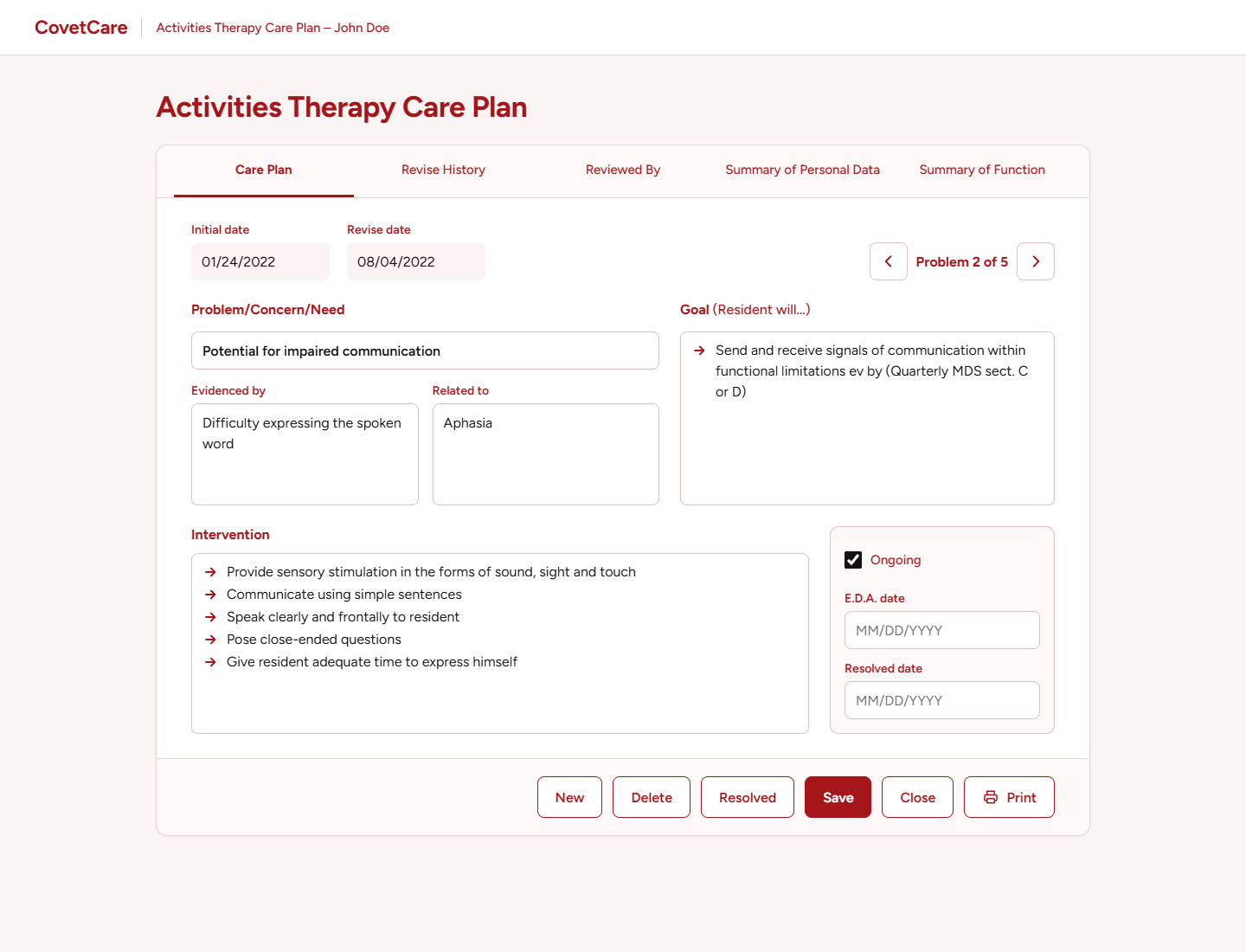
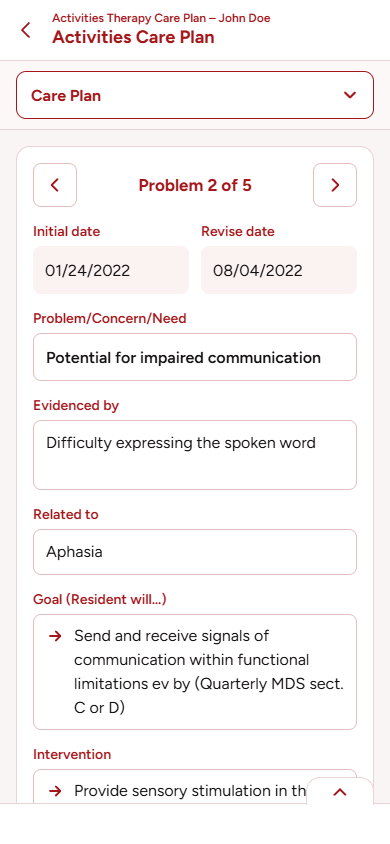
CovetCare came with a bank of care plans tied to items on the clinical assessments & risk tools. Certain answers, scores or combinations of items triggered care plans that pre-populated with assessment data to qualify & justify them. Every care plan was editable, so clinicians could tailor it to the resident.
Even so, each facility had its own protocols for managing certain conditions & needs & they wanted to use their own care plans. Many kept text versions that they copied & pasted into residents’ care plans & CCPs.
I designed a system that let them do two things. First, they could build their own care plans in a standard format: the problem, concern or need, risk factors, interventions, timeframes & more. Each department’s interventions were different, but the care planning process itself followed nursing standards because they were the most comprehensive. Second, facility care plans could replace the ones built into the system. If a resident had a pressure ulcer, CovetCare could propose the facility’s own care plan instead of ours.
The library was available to every clinical department & could be used for problems on the CCP. It walked clinicians through each step of adding a problem, along with the clinical reasoning behind it: how to name a problem, concern or need, how to separate subjective rationale (the resident’s own words) from objective rationale (the clinician’s assessment), how to design individual interventions, choose a timeframe & show risk factors. Then it combined everything into a care plan that any clinician in that department could reuse for any resident who needed it. One MDS Coordinator told me she loved it because it felt like being back in nursing school.
It was another huge hit. Some facilities created dozens of care plans for their departments. Social Service departments, in particular, took off with it & added care plans for problems that led us to enhance the assessments themselves. Each care plan showed who created it & when it was last updated, with a full history of every change & who made it. Clinicians who crafted care plans got credit for their work & that recognition encouraged even more of them to contribute. It gave clinicians a voice they didn’t have before & let them bring their own expertise into the system in a way that had a lasting effect on how they cared for residents.
Progress notes
There was nowhere in the system for clinicians to document a resident’s progress: a pressure ulcer or other wound healing over time, weight changes, responses to specialized diets or therapeutic activities & more. Many added it to the Notes sections of care plans or assessments. Some typed it into Word documents or wrote it on paper, then transcribed it into the next assessment.
None of those were the right place. As our founder put it, “an assessment is a picture of a person at a specific point in time.” Care plans were dynamic. They laid out the plan of care & could change at any minute based on the resident’s condition. Progress notes were supposed to show the day-to-day changes in between, but they had no home.
After seeing where clinicians were recording these changes, I designed a Progress Notes system that let them document progress on its own, separate from the assessments & care plans. It cut out the extra transcription work & put the information where it belonged.
It also protected facilities during state surveys. Surveyors would ask to see a resident’s progress notes & when those lived inside assessments or care plans, facilities sometimes had to hand over data that wasn’t needed at the time, opening them up to risk. With progress notes in their own tool, facilities only handed over what surveyors asked for.
Other tools I designed
Beyond the assessments & care plans, I designed many of the tools clinicians used every shift, including:
- The pressure ulcer tracking form
- The Medication Administration Record (MAR)
- The Treatment Administration Record (TAR)
- The 24-Hour Report
- The revised Body Diagram tool
- The revised pain assessment
That’s only part of the list & doesn’t include dozens of updates to tools based on scheduled requirements from CMS. Over 13 years, the system grew a lot.
When I got it wrong
Not everything I designed worked out the first time. Here are a few times I got it wrong & what I learned from them.
The pain slider
I redesigned the wound section of the skin assessment with a pain intensity slider for each wound, complete with colorful pain faces. It looked great, but our clinical advisory panel didn’t care for it. It slowed them down when they needed to document quickly during assessments.
After talking with them, I learned they preferred simple drop-downs or checkboxes. I replaced the slider with numbered checkboxes on a 1-10 scale that didn’t need any typing. Pain assessment became faster & more precise. It taught me that for clinicians, speed & function matter more than flashy presentation.
Two sets of specs
I shared specs for a pressure ulcer tracking tool with our clinical advisory panel. They included technical specifications & data mappings to other parts of our system & to vendor applications we integrated with. The technical details confused & worried the clinicians.
When I saw the concern it caused, I split my specs into two documents: one for the development team & one for clinicians, with user scenarios that tied each feature to how nursing staff would use the tool. Feedback improved significantly. The advisors’ suggestions made my design better & we built a robust, easy-to-use tracking tool that made sense to nurses. From then on, I always wrote two versions of my specs.
The MAR default
When I designed the Medication Administration Record, I defaulted the “administered by” field to the logged-in user, like every other tool in the system. I didn’t know that some facilities used laptops on rolling carts as shared bedside stations for several nurses. The wrong nurses were being documented as giving residents their medications.
When a client reported it, I worked with our developers to add two safeguards: a warning when the MAR opened, asking nurses to confirm they were the ones administering meds, & a timeout that logged users out after 5 minutes of inactivity. Both were live within 24 hours & we didn’t lose any clients. It also made me review our other point-of-care tools to make sure they were only being used by the logged-in staff member at the bedside.
Keeping up with CMS
Every April, CMS released major updates that affected the entire nursing home industry, followed by another round of big, though less sweeping, changes every October. Every part of our system had to keep up, so our client facilities stayed compliant & got paid.
I stayed on top of all of it, including major shifts like the moves from ICD-9 to ICD-10 & from MDS 2.0 to MDS 3.0. I reviewed proposals, watched for updates & final versions & designed the changes as each draft came out, so we had as much lead time as possible to build & test updates that touched every part of the application.
We never fell behind. Other EMRs did & it cost their facilities money & a lot of stress. Some lost business because they couldn’t keep up with federal regulations & some of those facilities came to us.
The deadlines were tight. During one update, our clinical advisory panel sent late changes to the Body Diagram tool after a developer had already started building it from my design. He pushed back & I understood why. I let him know the timing was rough & asked to talk it through. We met for 30 minutes & split the changes into “must-haves” & “next release” items so he could finish on time. The critical updates shipped on schedule & the rest followed the next week. It taught me to break user requests into smaller pieces so our dev team could keep a maintainable pace.
Making the data line up
CovetCare exchanged data with pharmacies, billing services, labs, QA tools & other EMRs over HL7, REST & SOAP. I didn’t write the integration code. My job was the research: working out which fields, or combinations of fields, in our app matched the fields in each partner’s system, so our developers knew exactly what to connect.
It was rarely a straight one-to-one match, whether a partner used HL7 or a custom interface. Just like with the MDS, the right data for a field could depend on an assessment’s rationale, its lookback window & the time period being reported, so each mapping had to account for all of that.
| Field in our EMR | HL7 field | Note |
|---|---|---|
| Resident name | PID-5 | Last, first & middle split into parts |
| Date of birth | PID-7 | Date format converted |
| Allergy | AL1-3 | Free text matched to coded values |
| Medication order | RXO-1 | Built from several fields combined |
What administrators said about CovetCare
From nursing home administrators who used the system.
“CovetCare is a progressive, revolutionary documentation system. It virtually eliminates inconsistencies and conflicting data. All of my clinical disciplines have learned the “point and click” system quickly and with ease.”
“CovetCare has earned its place at the forefront of the technological movement in skilled nursing facilities. Not only does it provide assurances of compliance, it clinically strengthens assessments, care planning and documentation.”
“Having administered over a highly successful operating facility that had CovetCare in place, when I came to TownHouse Center I put CovetCare on the agenda for installation here. Upon my new staff learning about, and seeing the program, they too are as enthused as I.”
“We have found CovetCare to be a complete solution to our assessment and care planning needs. With the assistance of CovetCare, Franklin Center has not had a deficiency in assessment and care planning under Department of Health or JCAHO surveys.”
What I took from it
CovetCare taught me to design for the people doing the work. Clinicians didn’t need flashy screens. They needed tools that were fast, matched how they already worked & respected their expertise. Some of my best ideas came from noticing where they were working around the system.
It also taught me to communicate for my audience. Clinicians & developers needed different things from me, so I wrote for each of them, broke big requests into pieces a team could deliver & learned to push for the right idea while still listening when I was wrong.
Our founder built a culture where we were free to learn, try new approaches & step outside our comfort zones. That’s where I picked up the idea of being a learn-it-all rather than a know-it-all & it’s how I approach every project now, whether I’m designing an interface or writing the code behind it.
